Update instructions for
Trams Scripts for Apollo® Users
Go to the web site at www.shelleyconsulting.com. Find a link that says Download and click that. You will be prompted for a user name and password. Enter the user name and password given to you by Shelley Consulting. You will see another screen with a link that says Trams Scripts for Apollo® Users , click that and you will be on the Trams Scripts for Apollo® Users Download Page. During the download and install process, wherever there is a password required, you will be given that password by Bill Shelley.
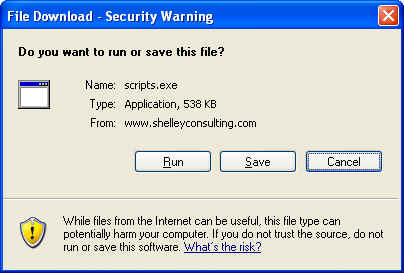
There is only one install/update file now. It is recommended that you just run this installation file from the internet on each workstation that needs updating. When you click on the Download link you will see a screen similar to this one.
Just click on Run and you will see this screen.
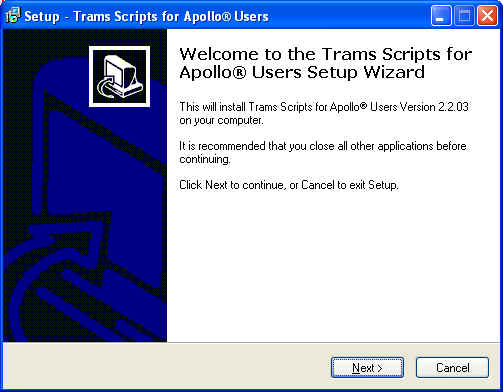
Click next and you will be prompted for the install password.
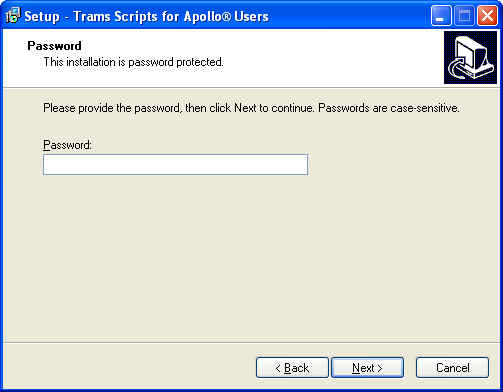
Type in the password you received from Shelley Consulting and click Next.
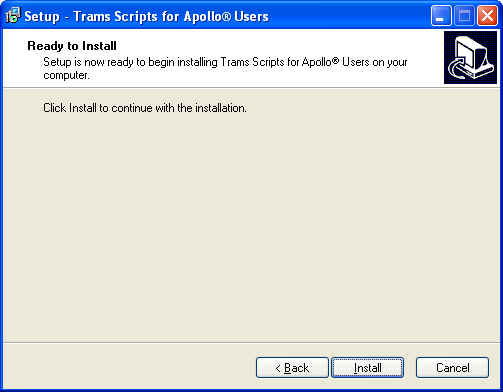
You are now ready to finish. Click Install.

Click Finish and you are all done. Install the license file and you are ready to go!
If you have
any questions, Email Bill Shelley
or call him at 281-335-1774.